STOCK PRICE HISTORY
- 1. INTRODUCTION
- 2. SEARCH FILTER
- 3. STOCK LIST
1.INTRODUCTION
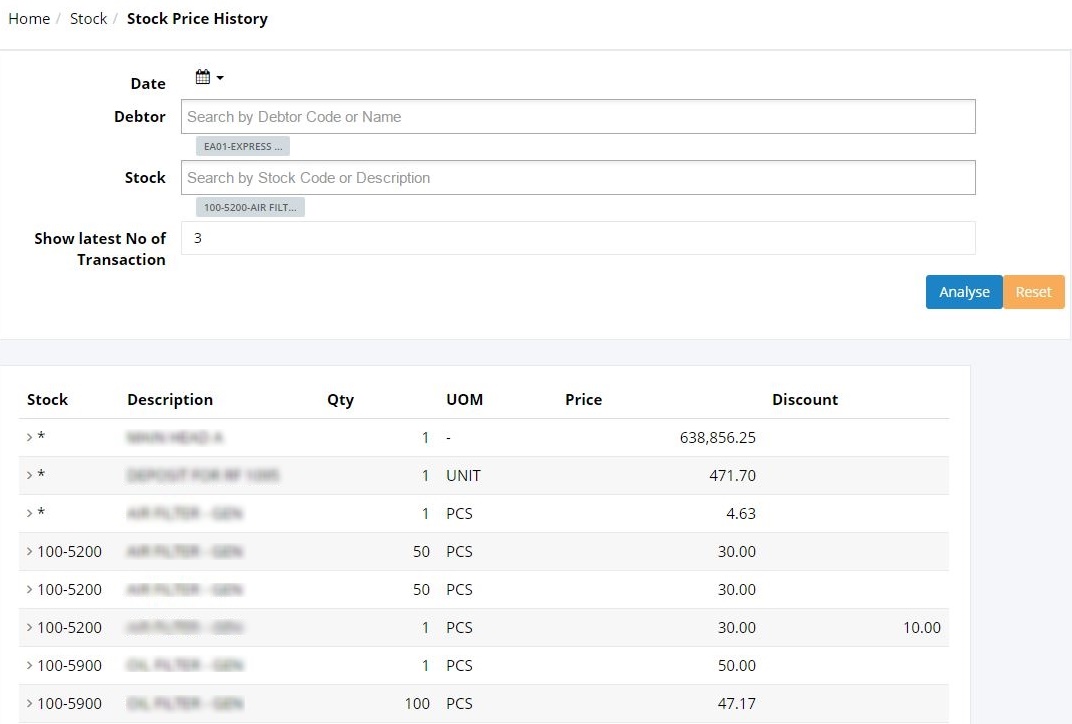
Stock Price History will show more on the items’ price information, such as the price history, the quantity sold, the discounts given and more. This section will give user full information regarding to the item’s price to make it easier for users to track back the price lists to create the stock quotations and any other related transactions.
2. SEARCH FILTER
• Date
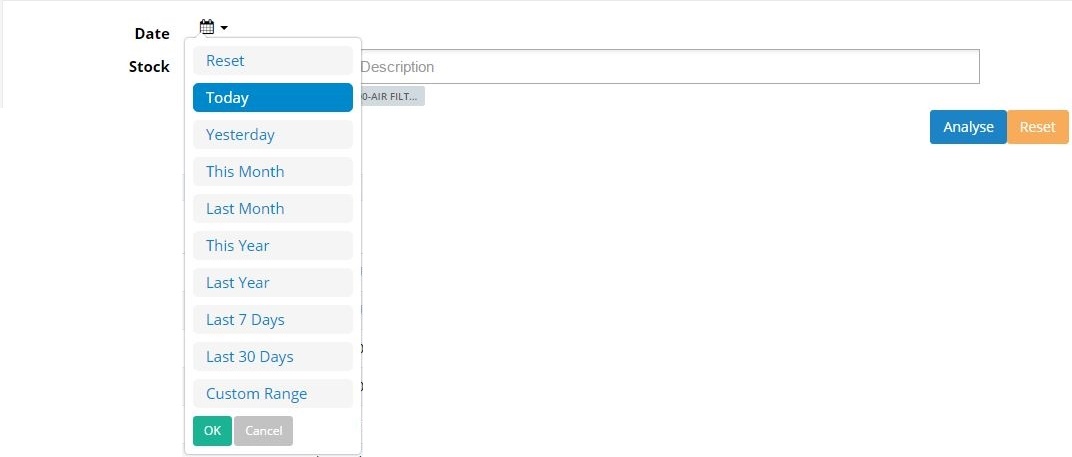
User may filter the sales record by selecting the required date as follow. User can click on analyse button to view the result:
• Debtor
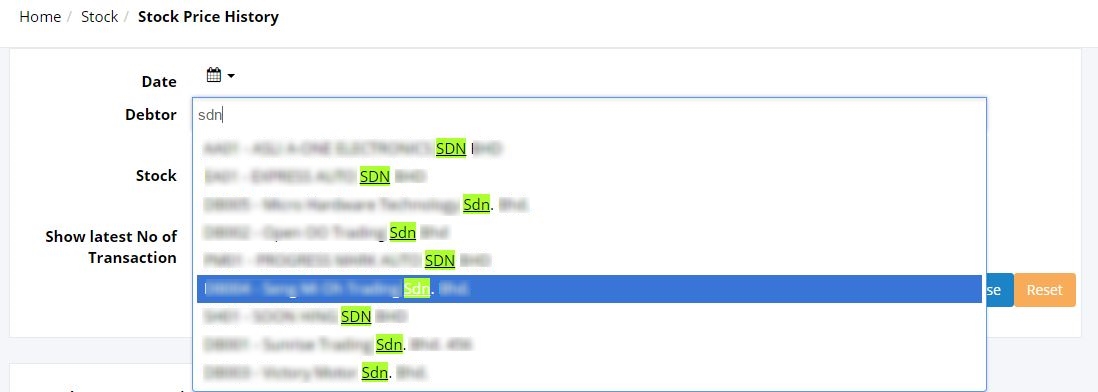
User may key in 3 characters to search for specific debtor/company. User can view the stocks record for the selected debtor.
• Stock
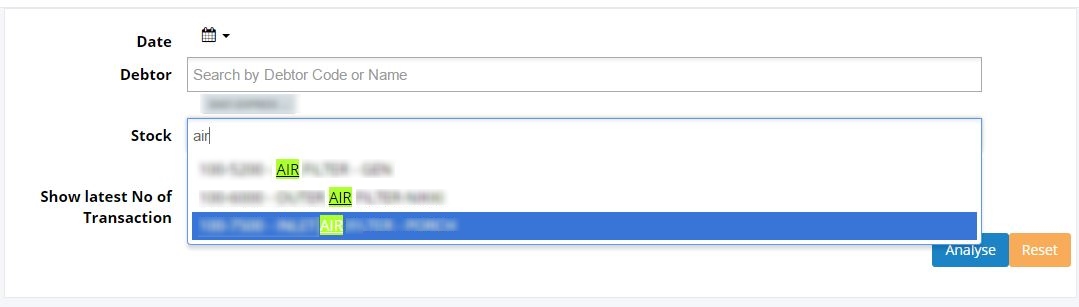
Displays the stock lists according to the selected stock. User may key in 3 characters to search for specific stock.
• Show latest No of Transaction

User may key in the number of recent transaction that user wants to view. For example user may want to view the last 10 recent stock transactions. User may click Analyse to view the stock lists.
3. STOCK LIST
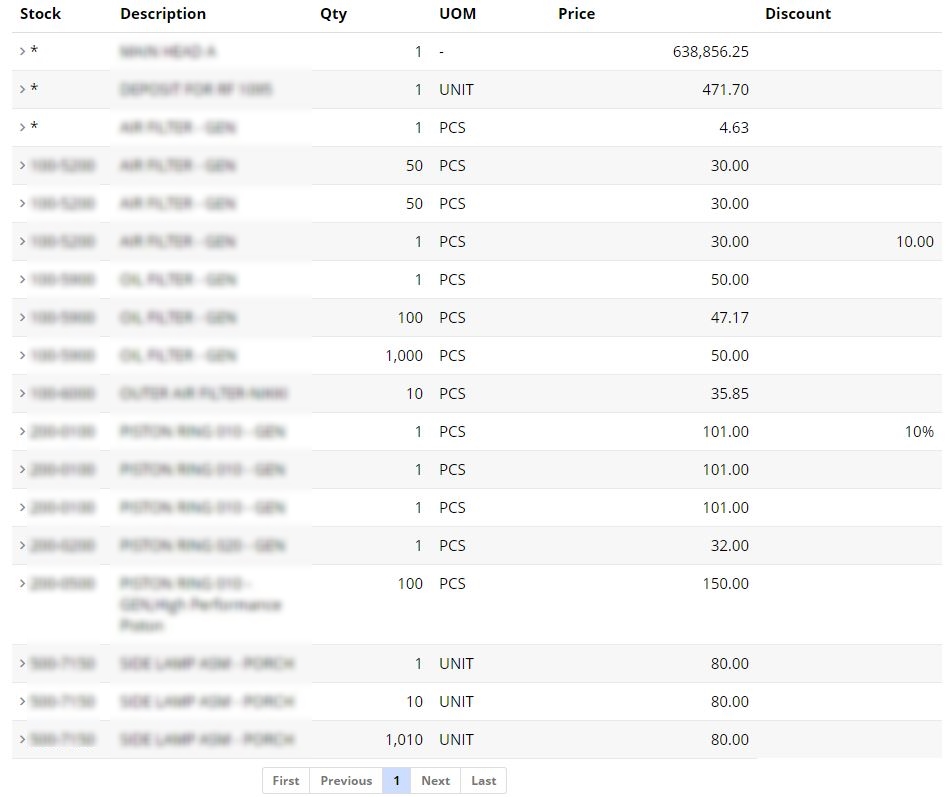
After user clicked on ‘Analyse’, the screen will display the stock price history list. User can view the stock with the description, the quantity sold, UOM, price and also the discount given.
User is allowed to click the Stock Description to view the Stock Information in details.

Clicking on the Doc No will link user to the next screen:
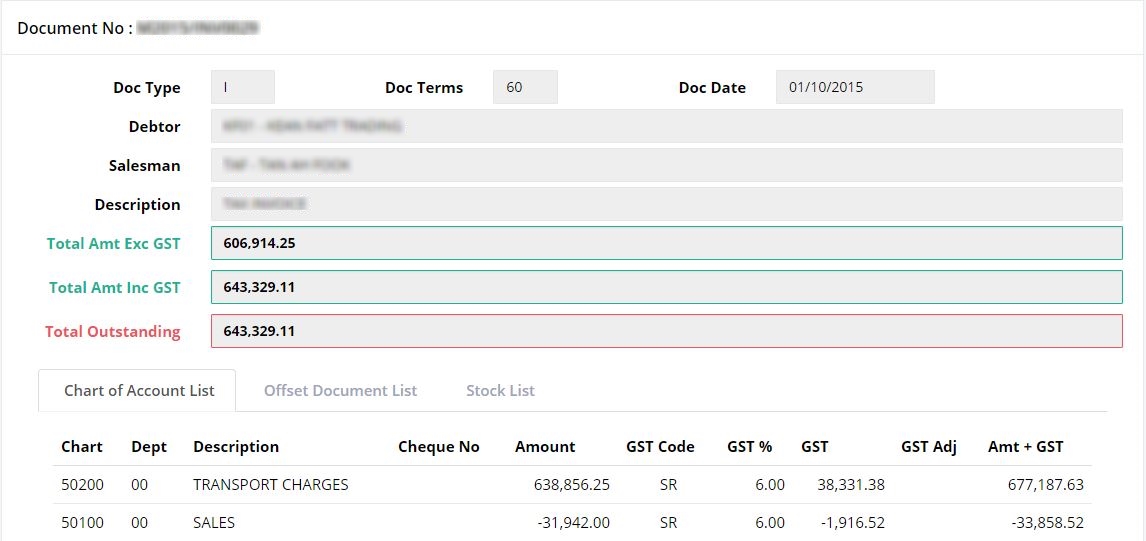
(The further explanation of this screen is explained in Document List)